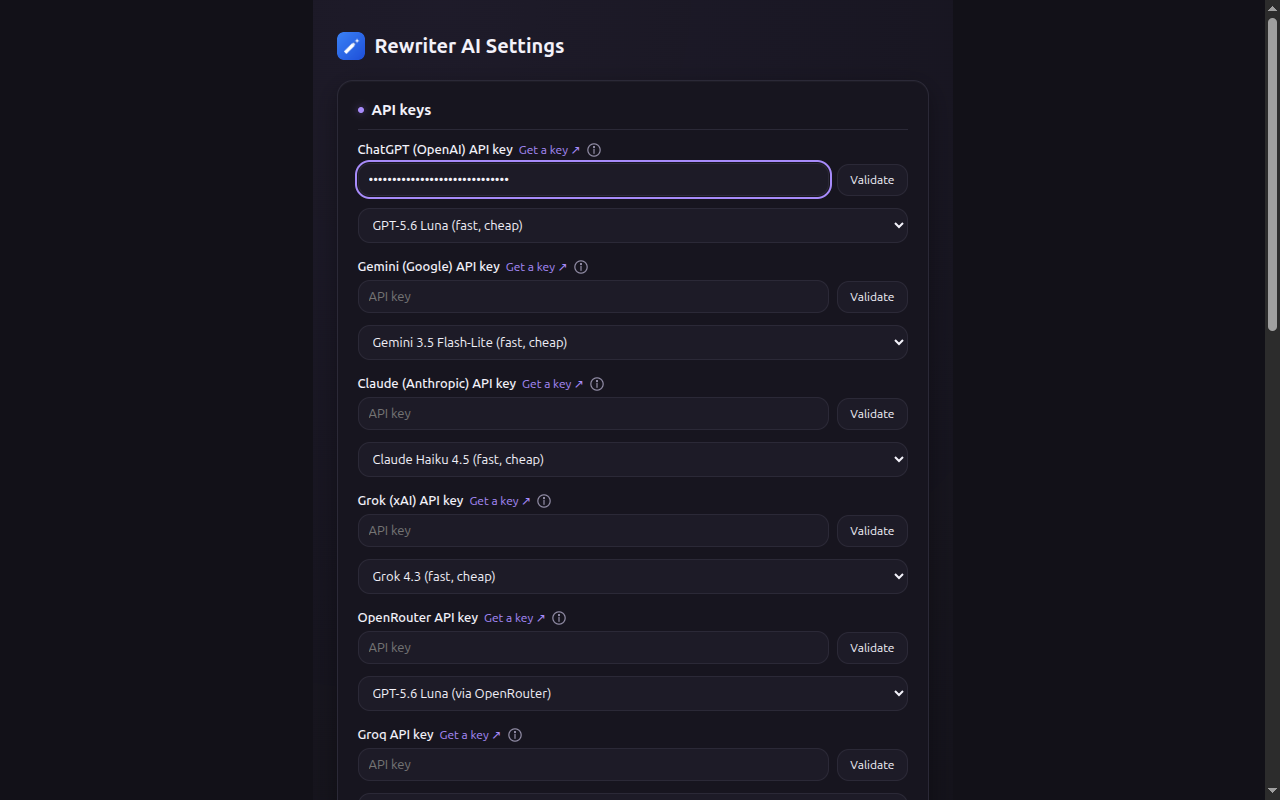
Rewriter AI adds an AI writing assistant to every text field on the web, and a chat window in your toolbar — powered by OpenAI, Gemini, Claude, Grok, Groq, Mistral, or OpenRouter. Bring your own key. There's no backend in between.
Trigger it anywhere with Ctrl+Shift+R (⌘+Shift+R on Mac)
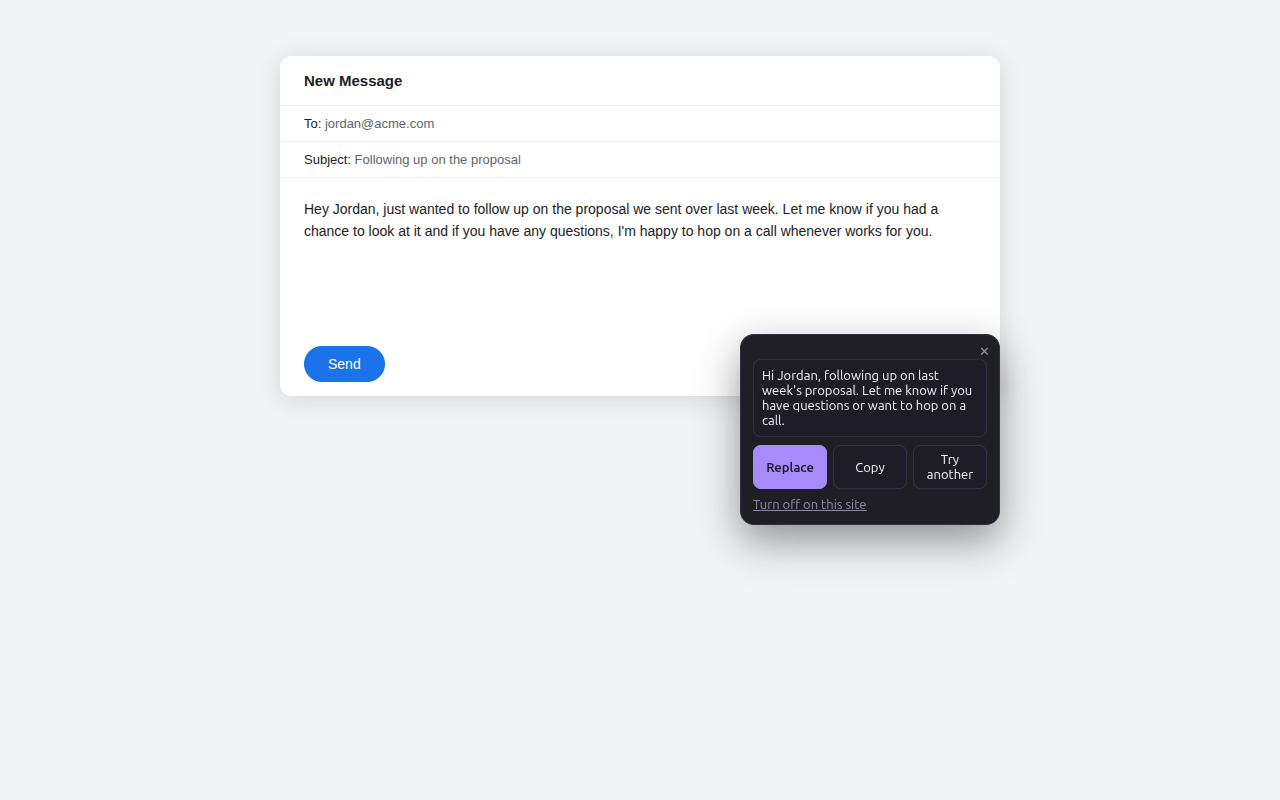
No separate tab, no copy-pasting into a chat window unless you want to.
A small icon appears next to the field the moment it holds enough text to be worth rewriting.
Concise, Formal, Friendly, Fix Grammar — or type your own instruction in plain English.
The result drops right back into the field you were editing. Nothing leaves your browser except the request itself.
Works in any text field or contenteditable area on any site — email, comments, docs, forms.
Open a real conversation with your chosen model from the extension popup, or pop it into its own window.
Edit, reorder, delete, or add your own quick-rewrite instructions from the settings page.
Ctrl/Cmd+Shift+R opens the rewrite popover on whatever field you're focused in, hands never leave the keyboard.
Turn the inline icon off globally, or exclude specific sites you don't want it appearing on.
You call the provider directly with your own key, at their normal rates. We never sit in the middle.
Add a key for whichever you already use — mix and match, or stick to one.

Rewriter AI has no backend. Your API keys, chat history, and presets stay in your browser's local storage. When you rewrite text or send a chat message, it goes straight from your browser to the provider you configured — never through us.